



Content Writer | Updated On - Apr 23, 2026
AP PGCET 2026 hall tickets have been released on April 20, 2026. Candidates can download their admit cards from cets.apsche.ap.gov.in using registration number and date of birth. Entrance exams will be held from May 8 to 11, 2026 in three daily slots
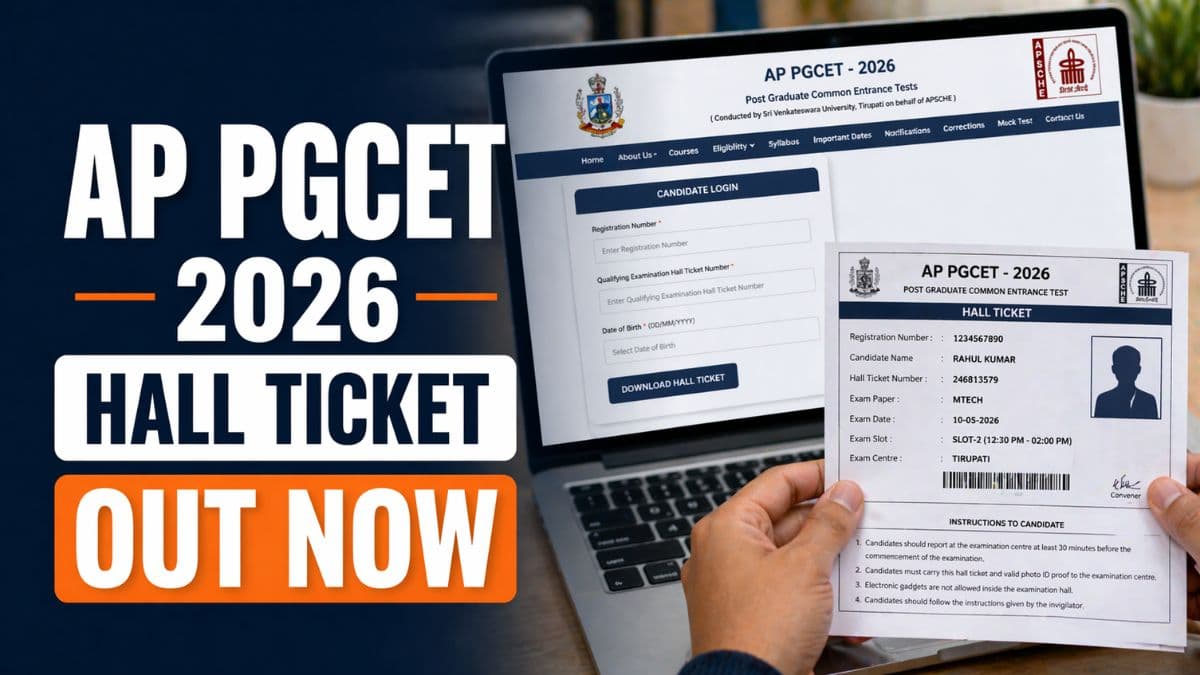
Sri Venkateswara University, Tirupati has released the hall tickets for AP PGCET 2026 (Andhra Pradesh Post Graduate Common Entrance Test) on April 20, 2026. Candidates who registered for the postgraduate entrance examination can now download their admit cards from the official website at cets.apsche.ap.gov.in. The AP PGCET 2026 entrance examinations will be conducted from May 8 to 11, 2026 across multiple examination centres in Andhra Pradesh. The hall ticket contains essential information including exam date, time, centre location, and other important instructions for candidates.
To download the AP PGCET 2026 hall ticket, candidates need to visit the official APSCHE website and navigate to the hall ticket download section. Candidates must enter their registration number, qualifying examination hall ticket number, and date of birth to access their admit card. After successful login, the hall ticket will be displayed on the screen which candidates can download and print. Multiple copies of the hall ticket should be printed and kept safe for use during the examination and for future reference.
Read More: Top Colleges in India Accepting AP PGECET Based on 2026 Ranking
| Event | Date |
|---|---|
| Hall Ticket Release | April 20, 2026 |
| Entrance Exam Dates | May 8-11, 2026 |
| Exam Slot 1 | 9:00 AM to 10:30 AM |
| Exam Slot 2 | 12:30 PM to 2:00 PM |
| Exam Slot 3 | 4:00 PM to 5:30 PM |
| Result Declaration | May 2026 (Expected) |
- Visit the official APSCHE website at cets.apsche.ap.gov.in on your web browser.
- Navigate to the PGCET section and look for the "Download Hall Ticket" link on the homepage.
- Click on the hall ticket download link to access the login portal.
- Enter your registration number in the designated field as provided during application.
- Enter your qualifying examination hall ticket number from your previous qualification certificate.
- Enter your date of birth in the specified format (DD/MM/YYYY) as registered during application.
- Select the exam paper for which you are appearing from the dropdown menu.
- Click the "Submit" button to retrieve your hall ticket.
- Your hall ticket will be displayed on the screen showing all examination details.
- Download the hall ticket as a PDF file and print multiple copies for the examination.
Read More: AP PGECET 2026 Exam Pattern: Know the Marking Scheme, Type of questions, Total Marks, and PYQs
The examination will be conducted in three daily slots from May 8 to 11, 2026. The first slot runs from 9:00 AM to 10:30 AM, the second slot from 12:30 PM to 2:00 PM, and the third slot from 4:00 PM to 5:30 PM. Candidates must report to their examination centre at least 30 minutes before their scheduled exam time. The examination is conducted in online mode (Computer-Based Test) at designated centres across Andhra Pradesh. Candidates must bring a valid photo ID along with their hall ticket for verification at the examination centre.
AP PGCET 2026 is conducted for admission to postgraduate programs including M.Tech, M.Pharmacy, M.Sc, and other postgraduate courses in Andhra Pradesh universities and colleges. The entrance test assesses candidates' knowledge in their respective subject areas.
Results are expected to be declared in May 2026 after which merit lists will be prepared for counseling. Candidates who qualify the examination will be eligible for admission to postgraduate programs through the centralized counseling process. For any queries regarding hall ticket download or examination details, candidates can contact the APSCHE helpline or visit the official website for assistance.
Also Read:
- Download Previous Year AP PGCET Subject-wise Question Paper with Solution
- IPMAT Rohtak 2026 Admit Cards Out; Exam on May 10
Subscribe to Collegedunia to get the latest news and updates –
.jpeg?h=127&w=254&mode=stretch)
.jpeg?h=127&w=254&mode=stretch)

.jpeg?h=127&w=254&mode=stretch)
.jpeg?h=127&w=254&mode=stretch)
.jpeg?h=127&w=254&mode=stretch)





%20(59).jpeg?h=40&w=40&mode=stretch)
%20(56).jpeg?h=40&w=40&mode=stretch)

%20(55).jpeg?h=40&w=40&mode=stretch)
%20(54).jpeg?h=40&w=40&mode=stretch)
%20(53).jpeg?h=40&w=40&mode=stretch)

%20(20).jpeg?h=40&w=40&mode=stretch)
.jpeg?h=40&w=40&mode=stretch)


.jpeg?h=40&w=40&mode=stretch)



Comments