



Content Writer | Updated On - May 15, 2026
Telangana State Council of Higher Education released TS DOST 2026 Phase 1 seat allotment on May 14 at 4:25 PM. Candidates must download their allotment using DOST ID and complete online self-reporting between May 15 and May 23, 2026.
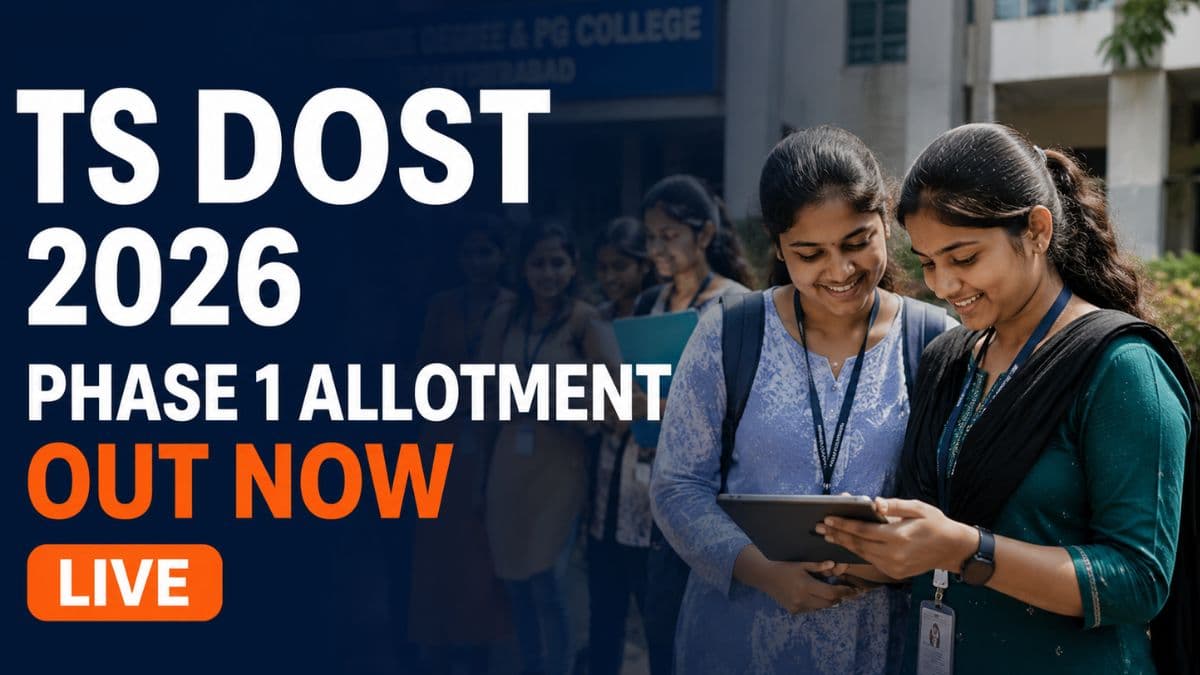
Telangana State Council of Higher Education has released TS DOST 2026 Phase 1 seat allotment on May 14, 2026. Eligible candidates can now download their allotment orders from the official portal dost.cgg.gov.in using their DOST ID and PIN credentials.
The TS DOST 2026 Phase 1 allotment includes all candidates who completed registration and exercised web options before the deadline. Only those students who submitted their college preferences are eligible for inclusion in the seat allotment process.
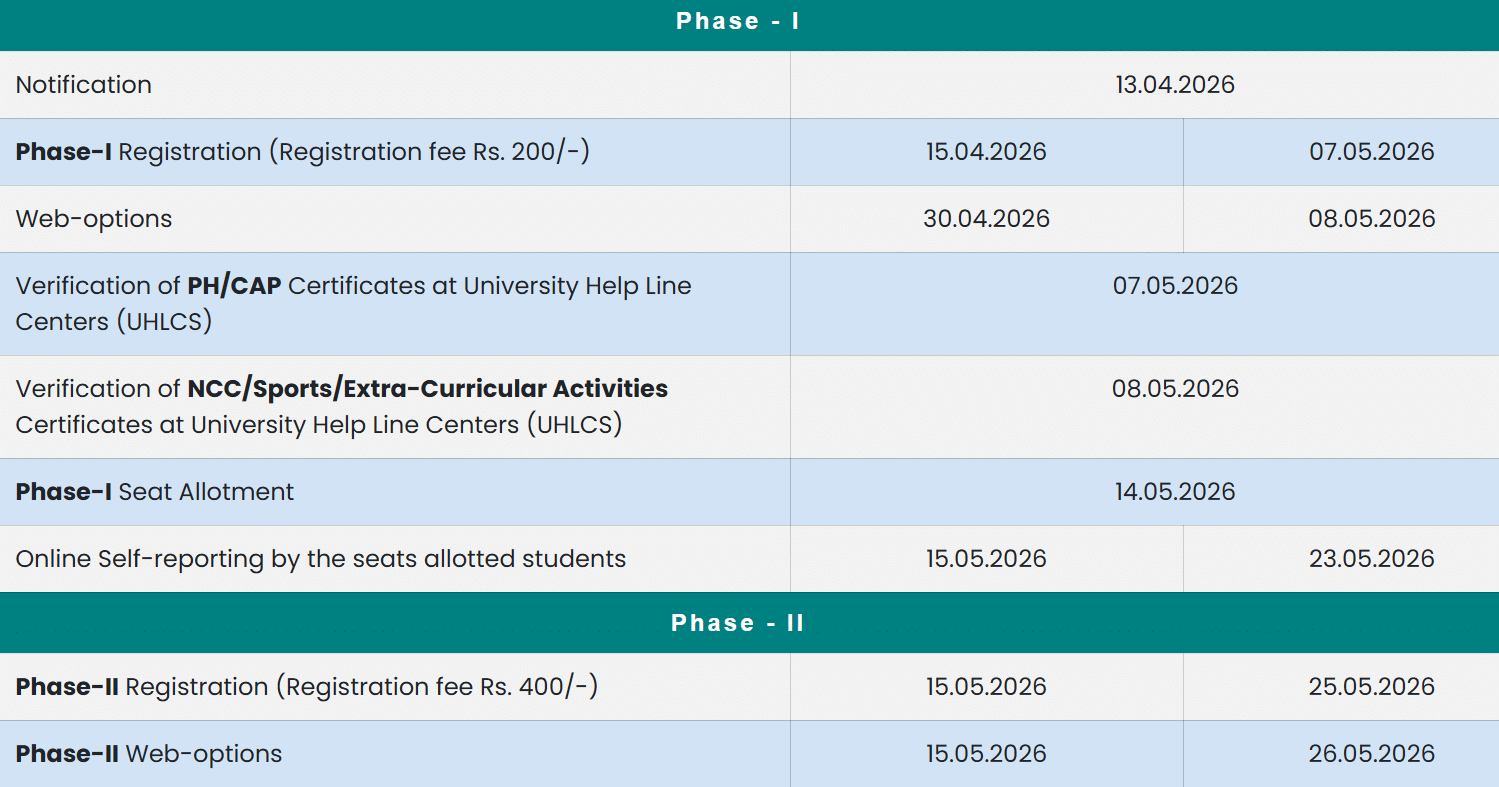
Candidates who participated in Phase 1 paid a registration fee of Rs. 200 during the application process. This one-time registration fee was mandatory to generate the DOST ID and PIN required for web options entry and seat allotment access.
| Direct Link: TS DOST 2026 Phase 1 Allotment Out |
TS DOST 2026 Phase 1 Important Dates
| Events | Dates |
|---|---|
| Phase 1 Seat Allotment Release | May 14, 2026 |
| Online Self-Reporting Begins | May 15, 2026 |
| Online Self-Reporting Ends | May 23, 2026 |
| Phase 2 Registration Starts | May 15, 2026 |
| Phase 2 Web Options Entry Ends | May 26, 2026 |
| Phase 2 Seat Allotment | May 30, 2026 |
How to Download Your TS DOST 2026 Phase 1 Allotment?
- Visit the official DOST website at dost.cgg.gov.in and click on the candidate login section.
- Enter your DOST ID and PIN/password to access your allotment status.
- Download the allotment letter immediately for future reference and verification purposes.
Candidates must complete online self-reporting to lock their allotted seats within the deadline. The self-reporting fee varies based on college type and ePass eligibility status. Government college candidates eligible for ePass pay no fee, while private college candidates pay Rs. 500 if eligible for ePass reimbursement.
Also Check: List of Top Colleges in India Accepting TS DOST Based on 2026 Ranking
TS DOST 2026 Self-Reporting Fee Structure
| Category | Self-Reporting Fee |
|---|---|
| Government/University Colleges (ePass Eligible) | Nil |
| Private Colleges (ePass Eligible) | Rs. 500 |
| Government/Private Colleges (Not ePass Eligible) | Rs. 1,000 |
After completing online self-reporting, candidates must visit their allotted college with the allotment letter and original certificates. Colleges will verify documents and issue College Confirmation OTP (CCOTP) via SMS to confirm final admission.
Candidates can retain their Phase 1 seat and participate in Phase 2 counselling simultaneously. This sliding mechanism allows students to secure a backup seat while pursuing better options in the next phase without losing their current allotment.
What’s Next for Students
Keep your DOST ID and PIN secure for future reference and updates. Download and print your allotment letter for physical reporting to the college. Verify all details on the allotment letter including college name, course, and category before completing self-reporting.
Students who receive seats in Phase 1 should immediately complete online self-reporting to confirm their admission. Those unsatisfied with their allotment can participate in Phase 2 while retaining their Phase 1 seat as backup. Regular updates will be available on the official DOST portal throughout the counselling process.
Also Read:
- AUEET 2026 Final Answer Key Out; Results Will Be Announced Soon
- CENTAC Begins Registrations 2026 for UG Non-NEET Courses; Apply Now
- VITEEE 2026 Phase 1 Allotment Out; Check Your Seat Now
- GBU Admissions 2026-27 Open Till May 31; Apply Now
Subscribe to Collegedunia to get the latest news and updates –
.jpeg?h=127&w=254&mode=stretch)

.jpeg?h=127&w=254&mode=stretch)
.jpeg?h=127&w=254&mode=stretch)

.jpeg?h=127&w=254&mode=stretch)

.jpeg?h=127&w=254&mode=stretch)
.jpeg?h=127&w=254&mode=stretch)

.jpeg?h=40&w=40&mode=stretch)


.jpeg?h=40&w=40&mode=stretch)

.jpeg?h=40&w=40&mode=stretch)


.jpeg?h=40&w=40&mode=stretch)
.jpeg?h=40&w=40&mode=stretch)

.jpeg?h=40&w=40&mode=stretch)



Comments