




The NTA is expected to release the NEET admit card in the 4th week of April 2026. There is no official date that has been announced; The admit card will be available on the official NEET website, neet.nta.nic.in.
- As per the previous trends, the NEET admit card is generally released 7 days after the NEET City Intimation slip release.
- Students appearing for NEET 2026 on May 3, 2026, must carry a printed copy of their admit card to the exam centers.
- To download the NEET admit card, you should log in to the official website of NEET using your Application Number, Password, and date of birth.
- The NEET Admit card consists of the allotted test center's address, timing, and important guidelines.
The NEET admit card 2026 would not be sent to you by email or post; you would have to download it from the official website.
Also Check:
- NEET 2026 Exam Day Guidelines: Check NEET Exam Dates, Timings, Documents to Carry, Dress Code, Do’s and Dont’s
- NEET 2026 Dress Code: Rules, Banned Items, Guidelines & Exam Day Tips
- NEET Exam Centres 2026(Out): Check State-wise List, City intimation slip & International centres

Key Summary
- The admit card will be available on the official NEET website, neet.nta.nic.in.
- More than 26 lakh candidates are waiting to download their NEET 2026 admit cards.
- Students appearing for NEET 2026 on May 3, 2026.
- The NEET Admit card consists of the allotted test center's address, timing, and important guidelines.
NEET Admit Card 2026 Latest Update
NTA has already released the NEET UG 2026 City Intimation Slip. The admit card is expected shortly before the exam date.
| Particulars | Details |
|---|---|
| Conducting Body | National Testing Agency(NEET) |
| Official Website | neet.nta.nic.in |
| Admit Card Status | Expected Soon |
| Exam Date | 3 May, 2026 |
| Mode of Admit Card | Online PDF |
| Result NEET 2026 | June, 2026 |
Check: NEET 2026 Admit Card Login Issues & How to Fix Them: Check NEET Login Errors, Types and Solutions
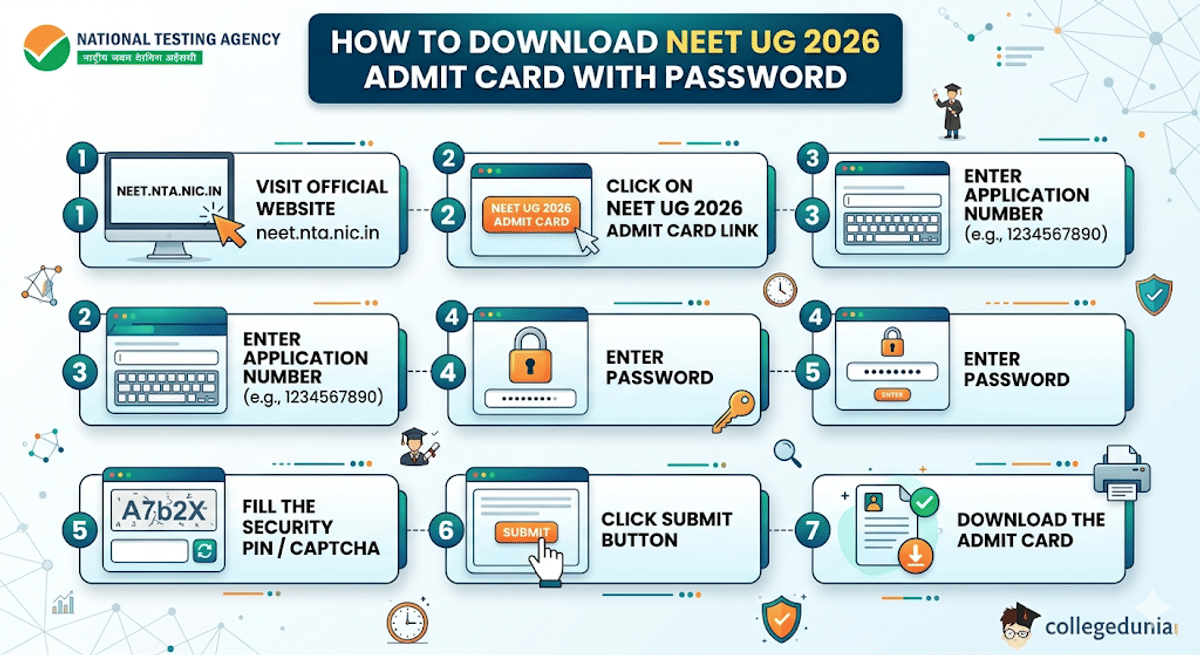
How to Download NEET Admit Card with Password
Candidates can download their hall ticket using their password after the admit card is released.
| Step | Action |
|---|---|
| 1 | Visit the official website neet.nta.nic.in |
| 2 | Click on the NEET UG 2026 Admit Card link |
| 3 | Enter the Application Number |
| 4 | Enter password |
| 5 | Fill the Security pin/captcha |
| 6 | Click submit |
| 7 | Download the Admit card |
Source: NEET 2025 Admit Card Out Check Now
Also Read:
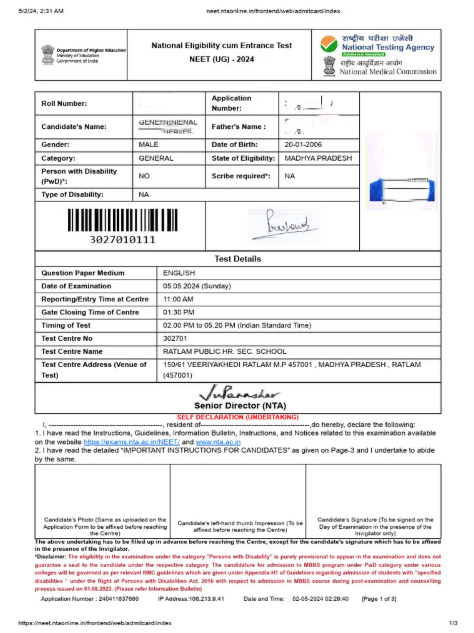
NEET Admit Card Sample
The admit card will be in PDF format and will have important information about the exam and candidates.
The Admit card consists of the candidate's name, Roll number, Application number, photo & signature, Exam date details, Full Address about the center, and reporting time.
A sample admit card is shown below:
Ques: Can I download the NEET Admit Card for 2026 if I can't check my application status?
Ans: Yes, you can still download your NEET 2026 admit card even if you can not check your application status, as long as your form was submitted properly. If it does not work, you can try another browser or contact NTA for help.
Forget password? How to Reset NEET Password
If you forget your NEET 2026 login password, there is no need to worry.
- The NTA provides an official password recovery option on the NEET portal. So that candidates can access their accounts.
- To reset the NEET password, candidates need to visit the official website and then click on the " Forgot Password” option.
- After that, you enter the application no and verify with DOB or name. Then, choose the password recovery option through OTP or a security question.
Steps to Reset Password
| Step | Process |
|---|---|
| 1 | Visit the NEET login page |
| 2 | Click Forgot Password |
| 3 | Enter Application Number |
| 4 | Verify with DOB/Name |
| 5 | Choose OTP or Security Question |
| 6 | Create New Password |
| 7 | Login again |
Common Problems While Downloading the Admit Card
While downloading the NEET admit card, candidates may face some common problems, but most of them can be solved easily.
- If the password is wrong, re-enter it carefully or use the " forgot password” option to reset it.
- There are some issue occurs in website, some times captcha error, a login error, you need to refresh the page and update the browser.
| Common problem | solution |
|---|---|
| Wrong password | Re-enter carefully or use the Forgot Password option to reset it. |
| Website Slow | Try again during non-peak hours or refresh the page later. |
| Captcha Error | Refresh the page and enter the new captcha correctly. |
| The admit card is not opening | Download the PDF again and open it in an updated browser or PDF reader. |
| Login failed | Check your application number and password carefully before retrying. |
Mobile vs Laptop/PC – Key Differences While Checking NEET Admit Card
Here’s the difference between PC/Laptop vs Mobile while checking the NEET Admit Card.
| Feature | Mobile(Phone) | Laptop/PC |
|---|---|---|
| Ease of login | Slightly difficult (small screen, typing errors common) | Easy (big screen, accurate typing) |
| Website loading | Sometimes slow or crashes during heavy traffic | More stable and faster loading |
| Captcha entry | Hard to read/type correctly | Easy to enter the captcha |
| Viewing PDF | Need to zoom in/out | Clear full view on one screen |
| Downloading PDF | May auto-save in files (hard to find) | Easy download & access |
| Printing the Admit Card | Difficult (need extra steps) | Direct print option available |
Also Read: NEET UG 2026 Scribe Registration Portal Now Open for PwBD Candidates
Denial of Entry in NEET Exam Hall Due to Admit Card Problems
Students appearing for NEET 2026 must check their admit card carefully before exam day. If there is any mistake or missing details, they may not be allowed to enter the exam center.
Important things to check on the Admit card:
- Carry a printed copy of the admit card. Digital copies on mobile are not accepted.
- Name, roll number, and photograph should match with your official ID proof.
- The admit card should be clean and undamaged.
- If NTA asks for a self-declaration form or extra document, then make sure to carry the document.
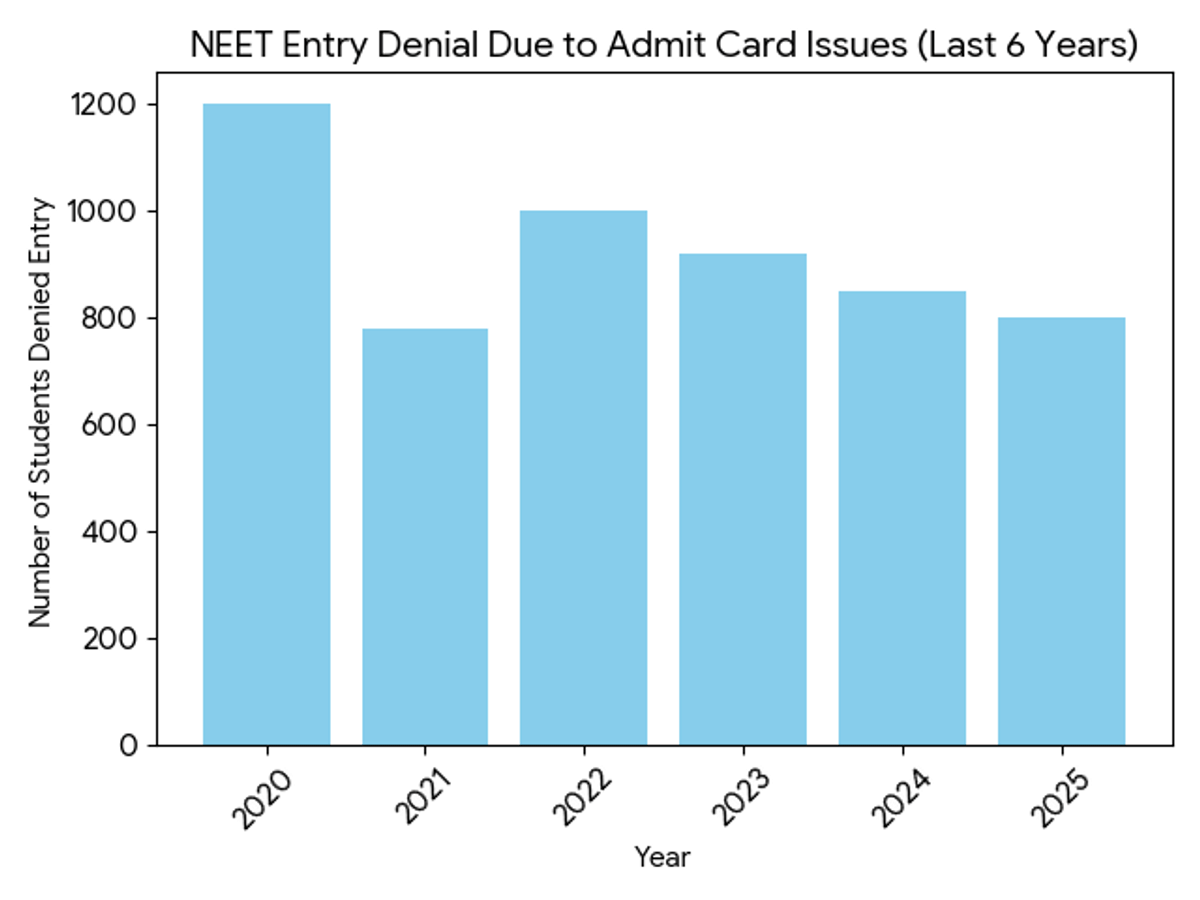
NEET Entry Denial Due to Admit Card Issues(Last 6 Years)
NTA does not release official year-wise denial numbers for admit card issues. The table below is an estimated media-based trend analysis using the past exam day reports, candidates' complaints, and official entry rules.
| Year | Students Denied Entry(Estimated) |
|---|---|
| 2025 | 800+ |
| 2024 | 850+ |
| 2023 | 920+ |
| 2022 | 1000+ |
| 2021 | 780+ |
| 2020 | 1200+ |
Reddit Discussion about NEET Admit Card
Many candidates discuss about the NEET 2026 admit card and what types of things upload un the admit section.
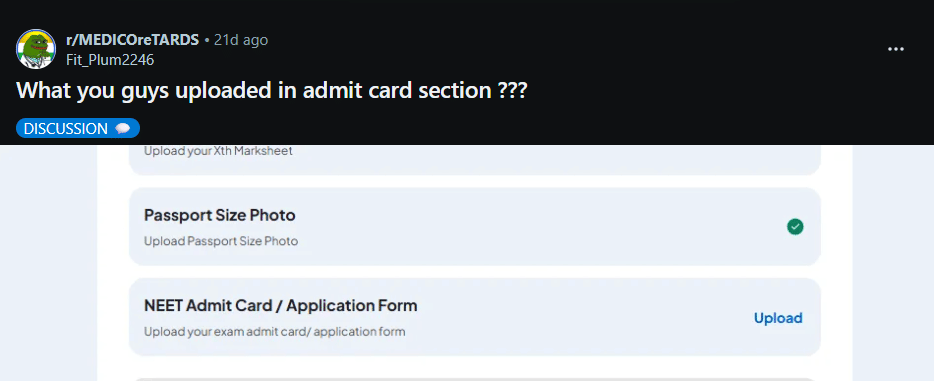
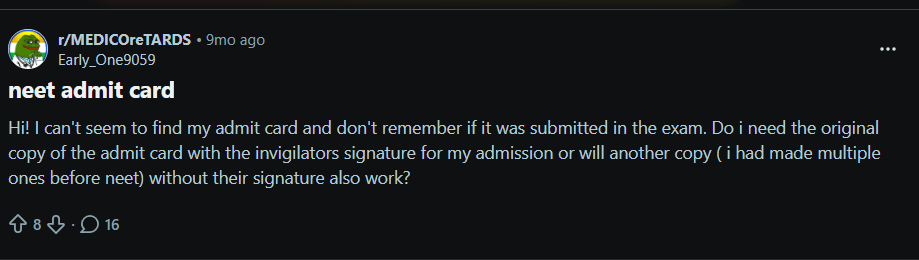
Source: Reddit
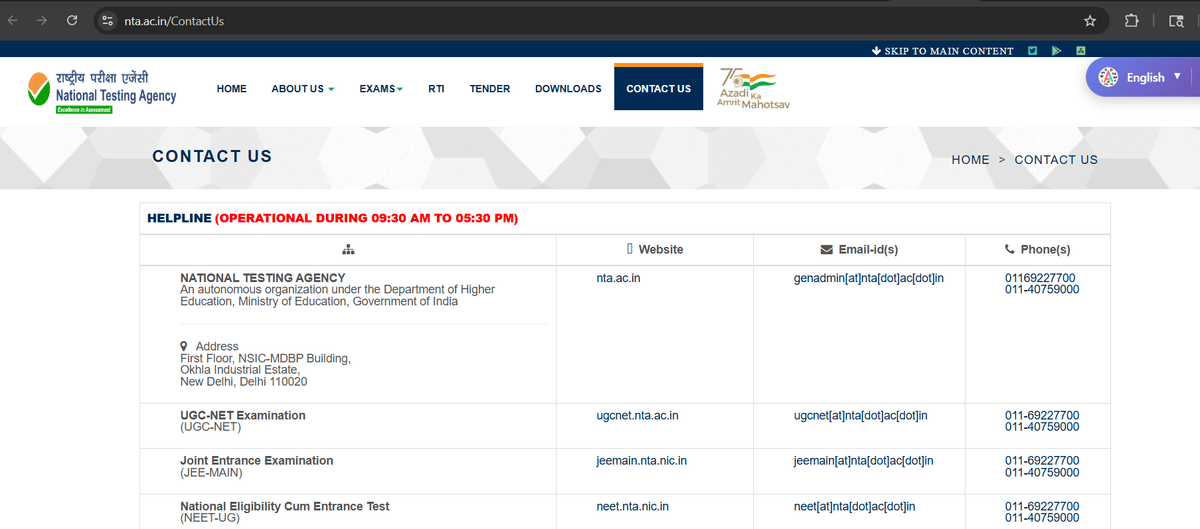
NEET Admit Card 2026 Helpline: Contact NTA for Assistance
If candidates face any problem while downloading the NEET Admit Card 2026, they should contact NTA as soon as possible.
The NTA provides support to help students with technical issues, incorrect information, login issues or any type of admit card concerns before the exam day.
How to Contact NEET 2026 Helpline?
| Support Options | Details |
|---|---|
| Call NTA Helpdesk | 011-40759000 or 011-69227700 |
| Email Support | [email protected] |
| Official Website | Visit neet.nta.nic.in and check FAQs |
| NTA Office | Visit during working hours if needed |
Ques: Where will the NEET Admit Card be released?
Ans: The NEET Admit card will be released on the official website of neet neet.nta.nic., candidates should regularly check the same for updates and download their admit card as soon as it is released to avoid last-minute issues.
Ques: How many days before the NEET admit card will be released?
Ans: The NEET 2026 admit card is expected to be out 3 to 4 days before the exam, with the exam tentatively scheduled on May 3, 2026. According to the past trend, NTA typically releases the admit card 7 to 9 days before the exam.
Ques. How to create a NEET password rule?
Ans: NEET Password rule is like: for ex, Abcde@73526
It consists of:
- 8 to 13 characters.
- At least one uppercase letter.
- At least one lowercase letter.
- At least one number (0–9).
- At least one special character (!, @, #, $, %, ^, &, *)



Comments